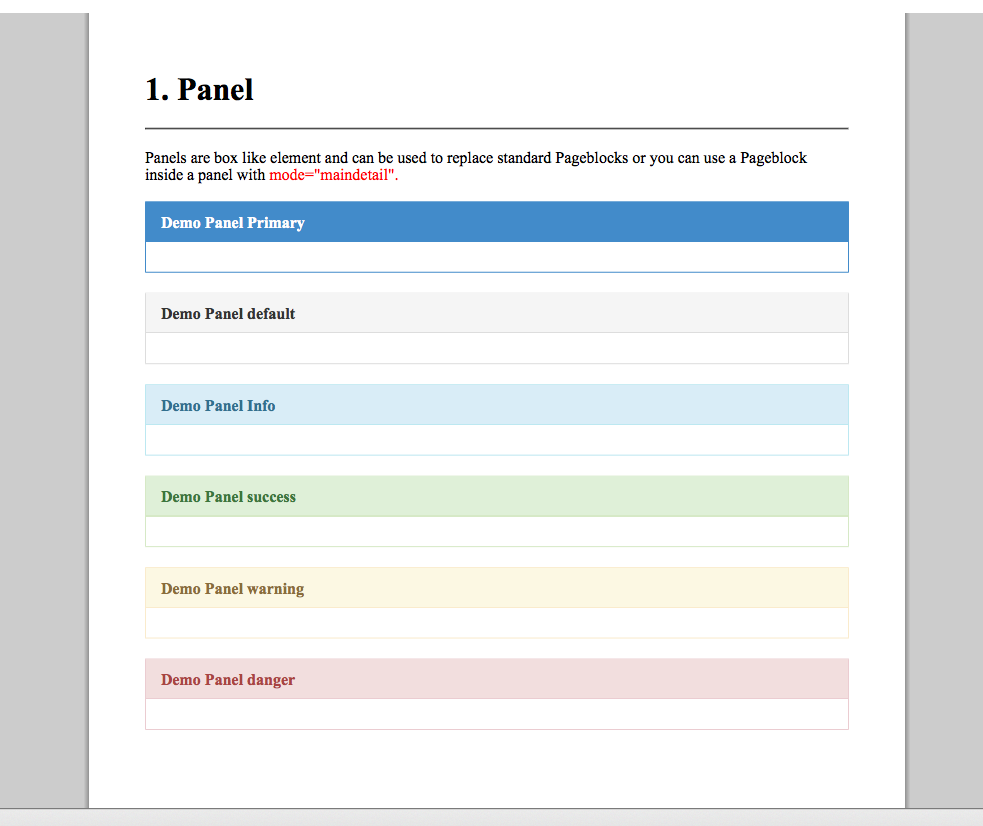
Wednesday, November 23, 2016


Visualstrap SLDS takes Visualstrap further, It gives you a bunch of components that are based on newly released Lightning Design System.

Visualstrap SLDS gives you a set of components that helps you quickly design Lightning Styled VF pages. Visualstrap SLDS uses the same known attributes that are used by Visualstrap and most of the apex standard VF components.

Visualstrap SLDS is still in development and is improving , to make it more usable. Here is a link to repo where you can download and install the components.

Repo


Demo Site

Monday, July 13, 2015


Visualstrap almost now has 1600 appexchange installs around 3500 installs from the project page , well, for me thats too many orgs!
Thanks for all the support and yes, its not dead yet !

Finally upgraded the Visualstrap to Bootstrap 3.3.5 .

Visualstrap 1.61 What's new ?

  • Updated to Bootstrap 3.3.5
  • Many CSS Bugfixes
  • New themes 'cosmo','slate','simplex' and 'paper'
  • Includes new Material Design theme 'paper'
  • New component ribbon
  • depth classes
  • collapse support for navbar

Screenshots and Links (theme = paper)


Installation Link : https://appexchange.salesforce.com/listingDetail?listingId=a0N3000000B56AMEAZ

Project Page : http://visualstrap-developer-edition.ap1.force.com/

Github : https://github.com/Avinava/VisualStrap


Monday, June 22, 2015


So finally the Part 2 of the #NoController series , In this part we will try to update the records that were retrieved from the Salesforce using SObject Remote.

If you haven't gone through the Part 1 of this , you can have a look here


Updating Records


  • Will be using update method of sObject Remote
  • Records will be updated as soon as the input elements losses focus (blur)

After all this was not that complicated :-)

Sunday, April 19, 2015


Rich Text Areas / Field , lets is like a small editor which lets you format your content. Thats really cool feature when you want that field to merged into a PDF / Email or in an document. But whats not so cool is when you add an RTF to a Visualforce page you no longer can rerender the page and you have to let the page refresh fully. Thats really sad.

The visualforce RTF editor uses CKEditor which is widely used for the same purpose and has an open API / Method, which exactly was the Idea behind the custom-rtf component. Introduce some JS in the page and customize the toolbar and along with bring back the ability to rerender the page.

Introducing Custom-rtf

  • Lets you customize the Toolbars
  • Lets you rerender the VF page
  • Easy to using vf component

Syntax


Attributes

  • targetclass : Styleclass of the Textarea that needs to be rendered as RTF
  • toolbar : Different toolbars available

Toolbar options

  • Full
  • Visualforce
  • HomePageComponent
  • SalesforceBasic
  • EmailMultiFormat
  • Email
  • SalesforceLight
  • Knowledge
  • KnowledgeWithIframes
  • ServiceCommunity

Screenshot


Github / Installation 


Monday, April 6, 2015


Salesforce trailhead is here for a while, but I somehow avoided it , but finally decided into jumping into the same. There is whole big list of modules in there but the one that certainly draw me to itself was Visualforce Mobile !


Trailhead really a fun way to learn stuff about platform, and really presents the concepts well.


About the Visualforce Mobile Module


This module takes you from Basic to advanced custom css to suite the look and feel of Salesforce1. It covers all of them !

  • A quick getting started
  • A quick small tour to using Salesforce RemoteObjects in visualforce pages.
  • Using global Actions
  • Talks a lot of bot Salesforce1 design and StyleGuide. Mainly focused about how to make your pages mobile 
  • Also the one-starter library
  • And finally a bit about different JS libraries like AngularJS , Ionic and Bootstrap

Why its important ?


Well trailhead is really well compiled module, and I wish I had covered this a bit before ! I have already covered similar topics in my past but it still looks fresh. At the end of the day on mobile UX does matters. A mobile user definately wants the information to be presented in a well organized manner. Something like


Trailhead was a really fun experience and awesome way to learn the Mobile Visualforce pages ! And hey there are lot many modules in there. Here are the few from my todo list


You can read them all here 

https://developer.salesforce.com/trailhead/modules


Friday, April 3, 2015


Finally back after long long time!

I have been working with AngularJs for a while now and I find Angular to be really helpful to create stateless interactive pages and best part is you hardly need any Apex Controller for the same. Pages are fast, fluid and Mobile friendly (Salesforce 1).

With time I have found the best ingredient to prepare your AngularJS page are

  • AngularJS ( of course )
  • SObject-Remote (thanks to Jason Venable)
  • Bootstrap (not required)

Lets start with a simple example.

Bringing data to the page


This would be a pretty easy example where we will be using SObject-Remote to bring query data from Salesforce Accounts


The Catch

  • The area ng-controller marks the area which can access the $scope variable of that particular controller.
  • You can access variable inside $scope by using {{}}. If you have a variable $scope.accounts you can directly access that in page by doing {{accounts}}, just like regular merge field but a bit different syntax.
  • We have used $scope.$apply() , which generally tells angular to redraw the UI  / View. Since remoting works async we need to notify the angular to redraw once we have the data by calling this method.

End Result

Finally a stateless fluid page without any controllers.


Sunday, January 25, 2015


You might faced a challenged, atleast once while developing pages, where you need to rerender the page which contains a <apex:inputFile/> or an Rich Text area field <apex:textarea richtext="true"/> . There is no out of the box solution for this but there is alternative solution where you can implement a CKEditor to do so.

How can I solve this ?


I have been using ckeditor for quite sometime and eventually developed a vf component for myself called "customrtf". Customrtf is based on salesforce's rich text implementation and borrows code from it. This is the very fist version of the component, and many other features will come eventually.

What it does ?


  • Lets you convert a textarea into a richtext area
  • Allows re-rendering of the page

How to use it ?


Thursday, October 30, 2014


Finally after a really long dormant period, I have made quite a few changes in Visualstrap. Along with some minor changes, Visualstrap now works with PDF.

Main Site


How to use ?


Just set theme as "pdf"  from importvisualstrap component and you are all set.

 <c:importvisualstrap theme="pdf" />


Updated Packages


I have pushed the latest source code to git and unmanaged package will follow soon.
However I am still waiting for a fix of https://success.salesforce.com/apex/issues_view?id=a1p30000000Sp4YAAS  to push update for the managed package


Tuesday, October 21, 2014


I have got this question several times from emails, to tweets and from lots of comments in blogs that "How can show more than 1000 records in table show that I can do more with PBE". PBE does add a lot of client side features like sorting, export, pagination etc but totally rely on data on the page to make it work, it cannot bring data from controller. So we need to bring as much as data we can to the page but to do this we need to overcome the 1K limit of list on VF.

If you haven't read about PBE (Pageblock table enhancer) you can read it here

So how can we overcome the 1K limit of list in VF pages ? 

There are basically two ways

  • JSRemoting : Use remoting and templating library like JSRender to create a table and initialize PBE on the same. I did a small blog on something very similar where you can display records using Remote objects, but for this we need to replace the data source from remoteobjects to remoting because 100records query limit
  • Using List<List<T>> : This is complete VF approach where we try to replicate the structure of pageblock table using apex:repeats.

JS Remoting


Pros
  • Very fast and lightweight
  • Can bring upto 15mb data
  • No overhead of viewstate
  • Ideal for showing long list of data


There is no better way to explain then jumping into the code.


How it works ?


  1. The page loads and brings data using Remoting method "getContacts"
  2. Once data is available the data is converted into HTML using JSrender and HTML template that is defined
  3. After load we call the initPageBlockTableEnhancerADV method to init PageblockEnahncer which reinitializes  the PBE

Screenshot


Demo


Sunday, August 17, 2014


For quite sometime I have been playing with JS libraries and Visuaforce to build some useful UI components, Textscanner is one of the component that has emerged from the same experiment.

What is Textscanner ?


Textscanner is Visualforce implementation of Knwl.js natural language reading library. You can read about the same here https://github.com/loadfive/Knwl.js . What Texscanner does is wrap this nice little library with the help of visualforce components.

What it can do ?


Textscanner with the help of Knwl.js can scan through the passed text and can extract important information and spit them out in a nice little interface

  • Phone Numbers 
  • Links 
  • Emotion 
  • Date 
  • Time 
  • Email 
  • Places 
  • Hastags

How to use it ?

The syntax is very simple, 


Example

Support Center / Call center executive has to interact with many customers daily and they really need to have the key information handy from a lengthy description. So solve this we can create an inline VF page CaseScanner in our case using TextScanner and include the same in Case Detail page layout.


Where can you use it ?

  • Extracting notes from lengthy text
  • Telephone transcripts
  • Case comments
  • Product Descriptions
  • Descriptions

Friday, June 13, 2014


Modals are part of the Visualstrap from very beginning but I never talked much about them. Modals can be really help to enhance the user experience. They can let you do many things without going to and fro between pages.

In Salesforce, we are used to this type of arrangement. For example have a look at the "New" / "Edit" buttons, they will take you to a another page to accomplish the task. It feels a bit clunky.
To make the experience  fluid and fast these pages can be replaced with modals.

Scenario 

Lets say we want a page where
  • See all the cases
  • Create new cases
The page can be extended to close and update the cases as well

Prerequisite 

The Page & Controller 

The page and controller are pretty simple.


The Catch

  •  Opening Modal : Modal can be opened using JS or html attribute. In this demo we are using JS
    <a class="btn btn-success btn-md" onclick="$('#newCase').modal('show');return false;">New Case</a> 


Closing the Modal Only when insert is success : We cannot just close the Modal when the user presses the Save button because there can be validation errors/required fields missing etc. To control this we are using a controller variable "isSuccess". We are setting it to true only if the transaction was success and based on the variable value we are calling the modal hide on the page.

Controller : This method sets the isSuccess flag to true only when the records is saved successfully.
    public void saveCase(){
        try{
            insert caseObj;
            init();
            isSuccess = true;
        }
        catch(Exception ex){
            Apexpages.addMessages(ex);
            isSuccess = false;
        }
    }

Page : The below section only renders when isSuccess is true ( and lets the page to close only when the save was success )

<apex:outputPanel rendered="{!isSuccess}">
     <script>
         $('#newCase').modal('hide');
     </script>
</apex:outputPanel>

VSModal in action


Below is the live demo of the page, you are welcome to try creating some cases for me :)

Saturday, June 7, 2014


Salesforce has just released RemoteObjects and its really promising. You can now do lot more by just writing a page and without any need of a controller.

RemoteObjects now lets you do DML, Query etc just using the Javascript and to add they are not even counted against the limit. Lets see how can we use the same to create a stateless Pageblock table.

Ingredients 

  • Jquery : For DOM Manipulation
  • JSRender : For templating
  • Some styling

Jquery

Jquery is a very popular DOM manipulation library and if you are into JS you probably don't need any introduction of the same. Jquery in this DEMO does the job of DOM manipulation like picking up templates, changing DOM etc.


JSRender

JSRender is not so popular templating engine which is successor of JQuery Templates. Lot of things have changed from JQuery Templates and they are now much more easier to use than ever. I have been preferring JSRender because they need very less code and are easier to use and understand.


Styling

To give our table a familiar look of PageBlockTable we will have to borrow some styling for Salesforce.

Styling from Salesforce


The Page


The end result

Whats Advantage ?

  • Almost zero viewstate
  • Pretty fast loading time and refresh
  • Suitable for mobiles and large pages


Monday, May 19, 2014


Well this weekend something surprising happened, Visualstrap crossed 1000 install limit (inlcuding appexchange & from my blog). I am really excited and happy that people are finding this small little package useful. Thanks for all the support !

So to make this package more delightful and easy to learn, I have redesigned the Visualstrap site to include all the documents and instruction at one place.


This site itself is an example of how you can create a good custom ui inside salesforce. I am still working on making the site better and putting all the documentation at one place. Thanks for all the support and love!

Saturday, May 17, 2014


This is quick little post on how to create a force.com site/page to access Salesforce even if you don't have the access codes and to some extent to create your own custom login screen. Generally helpful when same login is shared by multiple user.

There are already apps like Trapdoor for mac that lets you do the same, but this one just an cloud version of the same and of course you can build one for yourself!

What you need to make this work ?

  • Username and Password
  • The security token

How this works ?

  • The username  & password entered are used to make a SOAP call to Salesforce using the partner Endpoint
  • The response is parsed to retrieve the SessionId and Salesforce Server URL
  • Using the ServerURL and SessionId the user is redirected to "frontdoor.jsp" page of Salesforce which lets user log into Salesforce using session Id.

This page can be hosted in any org and not necessarily in the org you are trying to log in

Code 

Page

The Page uses Visualstrap to create a custom login screen. Same can be installed from here . And you can always copy the page code to create your own custom login screen for salesforce :)

<apex:page controller="SalesforceLogin_Con" showHeader="false" docType="html-5.0">
    <style>  
     body{  
         font-family: "Helvetica Neue", Helvetica, Arial, sans-serif;  
         background: #344A5F;
         
     }    
     
     .logo{
         text-align:center;
         height:44px;
         width:44px;
         margin: auto;
         background-color: #2A94D6;
         padding-top:8px;
         border-radius:8px;
         font-size:200%;
         color:white;
         display:inline-block;
         font-weight:bold;
     }
     
     .logoTxt{
         margin-left:10px;
         font-weight:bold;
         color:#8199af;
         display:inline-block;
     }
     
     .spcl{
         color:#1abc9c !important;
         padding-bottom:-20px;
         margin-bottom:0px !important;
     }
     
     label{
         font-size:130%;
     }
     
     .msgIcon{display:none}
     .messageText h4{display:none}
   </style>
   
    <vs:importvisualstrap />
    <apex:form >
        <vs:visualstrapblock >
            <c:navbar brand="Blogforce9" logo="http://blogforce9dev-developer-edition.ap1.force.com/resource/1385742741000/BlogForce9__BlogForce9WhiteLogo" inverse="true" type="fixed-top">
            <a href="http://blogforce9.blogspot.in/" target="_blank" class="btn btn-primary btn-danger"><vs:glyph icon="home"/> Home</a>
        </c:navbar>
           <div class="container">
                <apex:outputPanel layout="block" styleClass="row">
                    <div class="col-md-6 col-md-offset-3">
                        <div class="jumbotron spcl">
                           <vs:panel >
                               <div style="margin-bottom:10px">
                                   <div class="logo">S</div>
                                   
                                   <div class="logoTxt">
                                       <div style="font-size:150%;">Salesforce Login</div>
                                       <small style="font-weight:normal">Login to Salesforce using Security token to avoid Access Code emails</small>
                                   </div>
                               </div>
                           </vs:panel>
                            <vs:panel >
                                <apex:pageMessages ></apex:pageMessages>
                                <vs:formblock alignment="horizontal" style="margin-top:5px;padding:10px">
                                    <vs:formgroup >
                                        <apex:outputLabel >Username</apex:outputLabel>
                                        <apex:inputText value="{!Username}" styleClass="form-control" required="true"/>
                                    </vs:formgroup> 
                                    <vs:formgroup >
                                        <apex:outputLabel >Password + Security Token</apex:outputLabel>
                                        <apex:inputSecret value="{!Password}" styleClass="form-control" required="true"/>
                                    </vs:formgroup>
                                    <vs:formgroup >
                                        <apex:outputLabel >Domain</apex:outputLabel>
                                        <apex:selectList value="{!domain}" styleClass="form-control" size="1">
                                            <apex:selectOption itemValue="login" itemLabel="login"></apex:selectOption>
                                            <apex:selectOption itemValue="test" itemLabel="test"></apex:selectOption>
                                        </apex:selectList>                                        
                                    </vs:formgroup>
                                    <vs:formgroup >
                                        <apex:commandButton value="Login" action="{!doLogin}" styleClass="btn btn-success btn-md pull-right" style="width:200px"/>
                                    </vs:formgroup>
                                    <small class="text-info">*Passwords are not saved by this page</small>
                                </vs:formblock>
                            </vs:panel>                            
                        </div>
                    </div>
                </apex:outputPanel>
            </div>
            
            <c:navbar brand="Blogforce9" inverse="true" type="fixed-bottom" layout="none" >              
                <div class="text-muted" style="margin:10px;font-size:130%;text-align:Center" layout="block">  
                    Site built with  <a href="http://blogforce9dev-developer-edition.ap1.force.com/ProjectDetail?id=a0290000009MI61" target="_blank" class="btn btn-sm btn-danger"><vs:glyph icon="heart"/> VisualStrap</a> 
                </div>  
            </c:navbar>
        </vs:visualstrapblock>
    </apex:form>
</apex:page>

Controller

public class SalesforceLogin_Con {
    
    public String username{get;set;}
    public String password{get;set;}
    public String domain{get;set;}

    public Pagereference doLogin(){
        Pagereference loginReference;
        try{
            
            String loginRes = sendLoginRequest(username,password,domain);
            if(!String.isBlank(loginRes) && !loginRes.containsIgnoreCase('INVALID_LOGIN')){
                Dom.Document loginDoc = new Dom.Document();
                loginDoc.load(loginRes);
                Dom.XmlNode resultElmt = loginDoc.getRootElement()
                  .getChildElement('Body','http://schemas.xmlsoap.org/soap/envelope/')
                  .getChildElement('loginResponse','urn:partner.soap.sforce.com')
                  .getChildElement('result','urn:partner.soap.sforce.com');
                /*Extract the session Id and Server url*/
                String serverurl = resultElmt.getChildElement('serverUrl','urn:partner.soap.sforce.com').getText().split('/services')[0];
                String sessionId = resultElmt.getChildElement('sessionId','urn:partner.soap.sforce.com').getText();
                /*Use frontdoor.jsp to login to salesforce*/
                loginReference =  new Pagereference(serverurl+'/secur/frontdoor.jsp?sid='+sessionId);
            }
            else{
                Apexpages.addMessage(new ApexPages.Message(ApexPages.Severity.ERROR,'Please check your Username and Password.'));
            }
       }
       catch(Exception ex){
            Apexpages.addMessages(ex);
       }
        
        return loginReference;
    }
    
    /*Method to send login request using using SOAP*/
    private static String sendLoginRequest(String un,String pw,String domain){
        HttpRequest request = new HttpRequest();
        request.setEndpoint('https://' + domain + '.salesforce.com/services/Soap/u/30.0');
        request.setMethod('POST');
        request.setHeader('Content-Type', 'text/xml;charset=UTF-8');
        request.setHeader('SOAPAction', '""');
        request.setBody('<Envelope xmlns="http://schemas.xmlsoap.org/soap/envelope/"><Header/><Body><login xmlns="urn:partner.soap.sforce.com"><username>' + un + '</username><password>' + pw + '</password></login></Body></Envelope>');
        Http h = new Http();
        HttpResponse res = h.send(request);
        return res.getBody();
    } 
}
This Code can further be Reused for
  • Generate SessionId to Call Salesforce REST Endpoints
  • Salesforce to Salesforce custom Integration
  • This page can be hosted in Force.com site as a Custom/Branded Salesforce Login

Monday, May 12, 2014


For a while I have been wondering how to build a Resumable form , which resumes the last tucked in values somehow. Earlier attempts of mine included storing the data somewhere in a Sobject so that they can be fetched back, but that seemed very cumbersome!

The other day I came across a JS plugin called GarlicJS and it looked very promising, and provided a better way to solve the above problem of retaining values. GarlicJS stores the values entered in the fields in local storage and whenever there is a page refresh it loads the values from the local storage. I took the JS plugin and wrapped it inside a VF component to create what I am calling as "VFResumable"


VFResumable : What it is ?


VFResumable is a Visualforce component based on GarlicJS which helps to resume previously entered values. VFResumable provides some control over GarlicJS using wrapper methods and attributes.


Features

  • Resumes the previously entered values, even in case of full Page Refresh
  • Exposes enable and clear JS method to clear/enable resumable
  • Works with any VF page
  • GarlicJS automatically clears the stored values on form submit, in case you are using AJAX you may want to use the helper functions clearVFResumable and initVFResumable

Attributes & JSFunctions

  • Attributes
    • formid : A comma seperated list of Ids of target apex form
    • importjquery : Set this false incase you are already using Jquery in your pages
    • enable : Set true if you want to enable the VFresumable as soon as page loads, set false to disable this, when false you may have to use js handler to enable VFResumable
  • JSFunctions
    • initVFResumable : Call this JS function if you want to explicitly enable the VFResumable.
    • clearVFResumable : Call this JS function if you want to clear the stored values. Generally should be called from oncomplete of a button/action function (assuming you want to store values if the record was not saved)

Usage & Code


<apex:page standardController="Lead">
    <apex:sectionHeader title="VFResumable" subtitle="Restore previous values using VFResumable"/>
    
    <apex:form id="myForm" >       
        <apex:pageBlock >
            <apex:pageBlockButtons >
                <!-- Button to clear the resumable -->
                <apex:commandButton value="Destroy" onclick="clearVFResumable();return false;"/>
            </apex:pageBlockButtons>
            <apex:pageBlockSection >
                <apex:inputField value="{!Lead.FirstName}"/>
                <apex:inputField value="{!Lead.LastName}"/>
                <apex:inputField value="{!Lead.MobilePhone}"/>
            </apex:pageBlockSection>
        </apex:pageBlock>
    </apex:form>
    <!-- actual vf component -->
    <c:VFResumable formids="myForm"/>
</apex:page>

Saturday, May 3, 2014


Working with VisualForce and JS always fascinates me, I am constantly trying to do things a bit differently, trying to use more JS on my pages. And here is something from the same stable.

PDFAttacher - What it is ?


Its a VF page that is capable to pull PDF from another VF page (rendered as PDF) and attach the same to a record as an attachment.

Whats so special about this ?


Well pulling PDF from a VF source and attaching to a record can easily be done using apex, but PDFAttacher on the other side doesn't uses apex and solely depends upon JS and AJAX Toolkit.
  • No Apex Solution : Makes it possible to run in orgs that doesn't have access to APEX but they have access to API and VF. Its really very helpful for those orgs as it gives you ability to easily attach a Dynamically generated PDF.
  • Configurable & Reusable : Page run on some of the easily configurable parameters, that can be changed to attach attachments to different Parent Records and even Objects.

URL Parameters


  • pdfSrcUrl : VF page url from where the PDF needs to be extracted
  • pid : Parent record Id where the attachment needs to be attached
  • pdfName : Filename to be used to save the PDF
  • retUrl : URL where browser needs to be redirected on successful generation of PDF

Other Configurations 


  • Make sure Developer Footer is off.
  • Make sure the Source VF page is rendered as PDF.
  • API access is needed


How to use ?


Create a Button on a Object and set the URL as described in the "URL Parameters" section.


Sample URL 


https://blogforce9.ap1.visual.force.com/apex/PDFAttacher?pdfSrcUrl=https://blogforce9.ap1.visual.force.com/apex/TestPageB&pid={!Account.Id}&pdfName=PDFAttacherTest.pdf&retUrl=/{!Account.Id}


  • Source PDF is : https://blogforce9.ap1.visual.force.com/apex/TestPageB
  • Parent Record Id : {!Account.Id}
  • Generated File Name : PDFAttacherTest.pdf
  • Return URL : /{!Account.Id}


Code 


<apex:page >  
   <apex:includeScript value="../../soap/ajax/29.0/connection.js" />  
   <script>  
     /*Mehtod to upload attachment to a parent record*/  
     function uploadAttachment(filecontent, filename, filetype, parentId) {  
       var attachment     = new sforce.SObject('Attachment');  
       attachment.Name    = filename;  
       attachment.IsPrivate  = false;  
       attachment.ContentType = filetype;  
       attachment.Body    = filecontent;  
       attachment.Description = filename;  
       attachment.ParentId  = parentId;  
       var result = sforce.connection.create([attachment]);  
       if(!result[0].getBoolean("success")){  
         alert('PDF download failed.');  
       }  
       else if({!$CurrentPage.parameters.retUrl != NULL}){  
         window.location.href = '/{!$CurrentPage.parameters.retUrl}';  
       }  
     }  
     /*Method to convert the attachment to base64 and attach the same to a record*/  
     function reqListener () {  
       var reader = new window.FileReader();  
        reader.readAsDataURL(this.response);   
        reader.onloadend = function() {  
               base64data = reader.result.replace('data:application/pdf;base64,','');   
               if(base64data.indexOf('text/html') == -1){        
                 uploadAttachment(base64data,'{!$CurrentPage.parameters.pdfName}','application/pdf','{!$CurrentPage.parameters.pid}');  
               }  
               else{  
                 alert('Please check the PDF source URL.');  
               }  
        }  
     }  
     /*Method to request the PDF and retreive the BLOB*/  
     function loadPDF(){  
       sforce.connection.sessionId = '{!$Api.Session_ID}';  
       var oReq = new XMLHttpRequest();  
       oReq.onload = reqListener;  
       oReq.responseType='blob'  
       oReq.open("get", "{!$CurrentPage.parameters.pdfSrcUrl}", true);  
       oReq.send();  
     }  
   </script>  
   <apex:outputPanel rendered="{!($CurrentPage.parameters.pdfSrcUrl != NULL && $CurrentPage.parameters.pid != NULL && $CurrentPage.parameters.pdfName != NULL)}">  
     <script>  
       loadPDF();  
     </script>  
   </apex:outputPanel>  
 </apex:page>  


Monday, April 7, 2014


With the rise of the Web and the HTML5, libraries like Angular , Knockout, Backbone started becoming popular. Among them somehow Angular stood out of the queue and looked more promising than others. It was also because of the fact that it is maintained by Google!

With VF pages I somehow couldn't find a good way to implement Angular, I have been tinkering with the library to make it work with Visualforce. I somehow wanted to marry Angular Factories with Visualforce Remoting and ended up doing the same using promise.


Here is small example how to use Visualforce Remoting with Angular.

Visualforce Page


<apex:page controller="AngularRemoting_Con">  
   <vs:importvisualstrap />  
   <vs:visualstrapblock >  
   <apex:includeScript value="https://ajax.googleapis.com/ajax/libs/angularjs/1.2.13/angular.min.js"/>  
   <!--Remoting Stuff-->  
   <script>  
     function getSobjects(callback){              
       Visualforce.remoting.Manager.invokeAction(  
         '{!$RemoteAction.AngularRemoting_Con.getData}',  
         callback,  
         {escape: false}  
       );        
     }  
   </script>  
   <script>  
     var vfremote = angular.module('VFRemoting',[]);  
     vfremote.factory('VFRemotingFactory',function($q,$rootScope){  
       var factory = {};  
       factory.getData = function(){  
         var deferred = $q.defer();  
         getSobjects(function(result){  
           $rootScope.$apply(function(){  
             deferred.resolve(result);  
           });  
         });  
         return deferred.promise;  
       }  
       return factory;  
     });  
     vfremote.controller('VFRemoteController',function($scope,VFRemotingFactory){  
       VFRemotingFactory.getData().then(function(result){  
         $scope.data = result;  
       });  
     });  
   </script>  
   <div ng-app="VFRemoting">  
     <div ng-controller="VFRemoteController">  
       <ul class="list-group">  
         <li ng-repeat="acc in data" class="list-group-item">{{acc.Name}}</li>  
       </ul>  
     </div>  
   </div>  
   </vs:visualstrapblock>  
 </apex:page>


Controller Class


 public class AngularRemoting_Con {  
   @RemoteAction  
   public static List<SObject> getData(){  
     return [SELECT Id,Name FROM Account];  
   }  
 }  


How it looks like ?


A bit more about the pages

  • The pages uses VisualStrap for styling, that can be removed along with all the components starting with namespace "vs".
  • The Angularjs brings data from controller using Visualforce Remoting, it depends on "getSobjects" method to call controller method.
  • AngularJs uses Factories to communicate with remoting method "getSobject"

This page can be extended to do a lot more things, bringing data dynamically to the VF pages, with the two way binding that angular provides, you can use this to make superfast single page apps.

I am looking forward to Visualforce Remote objects and probably will be posting a blog about how to use them with AngularJS, but at the end I don't think there would be much of differences rather than some basic changes in the code structure. And obviously with Remote objects you won't need a controller!


Thursday, March 13, 2014


Salesforce has recently unveiled the new Salesforce1 app that lets you create mobile app very easily using technologies like JS, Visualforce and HTML and yes of course you can use VisualStrap create mobile ready pages.

Since Visualstrap is based on Bootstrap it inherits all the features from Bootstrap. Its a very powerful, sleek, front-end framework that lets you create mobile ready pages very fast!

Creating a Visualforce Page "VSDashboardS1"


So lets start with a User Dashboard / Overview page that we talked earlier here http://blogforce9.blogspot.in/2014/01/visualstrap-possibilities.html

Desktop View

Prerequisite 

Few things that needs to be considered


  • Desktop & Mobile support : Since we are going to support the page both on desktop and mobile we need to find a way to stack the grids on mobile devices so that they can be easily viewed. This can be easily done by using proper grid classes.
  • Navigation : We have to make sure all the links are updated, so that every thing works with Salesforce1 and Desktop
  • Responsive : The page needs to be responsive so that it fits in the screen of different mobile devices.


Desktop & Mobile support 

To make sure the grids properly stack up according to devices we should have to select proper column/ grid classes. In this example we are going to have three blocks per row, since a row in Bootstrap is of 12, each block should span to 4 units, hence the type "col-md-4"

<vs:row>  
   <vs:column type="col-md-4">  
           ...  
   </vs:column>  
   <vs:column type="col-md-4">  
           ...  
   </vs:column>  
   <vs:column type="col-md-4">  
           ...  
   </vs:column>  
 </vs:row>    

col-md-* classes are displayed in single row in a device with regular display where as they get stacked in mobile devices with smaller displays.


Navigation


We have to make sure navigation works for both Salesforce1 and  desktop, this can be done by detecting whether the app is viewed in Salesforce1 or Desktop. Have a look at the below JS function , the function checks whether "sforce.one" exists (which exists for Salesforce1) and switches the navigation method accordingly.

function goToDetailPage(recId){  
       if(typeof sforce != 'undefined' && typeof sforce.one != 'undefined'){  
         sforce.one.navigateToSObject(recId);  
       }  
       else{  
         window.location.href = '/'+recId;  
       }  
       return false;  
     }  


Responsive

Visualstrap grid classes are all responsive and hence they will adapt according to screen width.


The Design

To make sure the page uses all the real estate available on the screen, the page should be stacked vertically for mobile where as it should span horizontally for desktop. This is generally done use grid classes. 

Desktop layout
Mobile Layout


VF Page


 <apex:page sidebar="false" docType="html-5.0" controller="VSDashBoard_Con">  
   <vs:importvisualstrap />  
   <script>  
     function goToDetailPage(recId){  
       if(typeof sforce != 'undefined' && typeof sforce.one != 'undefined'){  
         sforce.one.navigateToSObject(recId);  
       }  
       else{  
         window.location.href = '/'+recId;  
       }  
       return false;  
     }  
   </script>  
   <vs:visualstrapblock style="padding:5px" >  
     <center>   
       <vs:pageheader title="User Dashboard" icon="calendar" subtitle="{!$User.FirstName} {!$User.LastName}"/>   
     </center>  
     <vs:row >  
       <vs:column type="col-md-4">  
         <vs:panel title="Tasks" type="primary">  
           <vs:well style="text-align:center;">  
              <vs:glyph icon="tasks" style="font-size:40px"/> &nbsp;<span style="font-size:54px">{!Tasks.size}</span>  
              <p class="text-muted">Tasks due for Today</p>  
           </vs:well>  
           <apex:dataTable value="{!Tasks}" var="task" styleClass="table table-condensed table-hover table-bordered" rows="3">  
             <apex:column headerValue="Subject">  
               <apex:outputLink onclick="goToDetailPage('{!task.Id}')">{!task.Subject}</apex:outputLink>  
             </apex:column>  
             <apex:column value="{!task.Status}" headerValue="Status"/>  
             <apex:column value="{!task.ActivityDate}" headerValue="Due Date"/>  
           </apex:dataTable>  
           <vs:alert rendered="{!Tasks.empty}" type="success" style="text-align:center">  
             <vs:glyph icon="ok-sign"/> No records to display  
           </vs:alert>  
         </vs:panel>  
       </vs:column>  
       <vs:column type="col-md-4">  
         <vs:panel title="Cases" type="primary">  
           <vs:well style="text-align:center;">  
              <vs:glyph icon="briefcase" style="font-size:40px"/>&nbsp;<span style="font-size:54px">{!Cases.size}</span>  
              <p class="text-muted">Assigned Cases</p>  
           </vs:well>  
           <apex:dataTable value="{!Cases}" var="case" styleClass="table table-condensed table-hover table-bordered" rows="3">  
             <apex:column headerValue="Case Number">  
               <apex:outputLink onclick="return goToDetailPage('{!case.Id}')" >{!case.CaseNumber}</apex:outputLink>  
             </apex:column>  
             <apex:column value="{!case.Status}" headerValue="Status"/>  
             <apex:column value="{!case.Priority}" headerValue="Priority"/>  
           </apex:dataTable>  
           <vs:alert rendered="{!Cases.empty}" type="warning" style="text-align:center">  
             <vs:glyph icon="exclamation-sign"/> No records to display  
           </vs:alert>  
         </vs:panel>  
       </vs:column>  
       <vs:column type="col-md-4">  
         <vs:panel title="Leads" type="primary">  
           <vs:well style="text-align:center;">  
              <vs:glyph icon="user" style="font-size:40px"/>&nbsp;<span style="font-size:54px">{!Leads.size}</span>  
              <p class="text-muted">Unread Leads</p>  
           </vs:well>  
           <apex:dataTable value="{!Leads}" var="lead" styleClass="table table-condensed table-hover table-bordered" rows="3">  
             <apex:column headerValue="Name">  
               <apex:outputLink onclick="return goToDetailPage('{!lead.Id}')" >{!lead.Name}</apex:outputLink>  
             </apex:column>  
             <apex:column value="{!lead.Status}" headerValue="Status"/>  
             <apex:column value="{!lead.CreatedDate}" headerValue="Created Date"/>  
           </apex:dataTable>  
           <vs:alert rendered="{!Leads.empty}" type="warning" style="text-align:center">  
             <vs:glyph icon="exclamation-sign"/> No records to display  
           </vs:alert>  
         </vs:panel>  
       </vs:column>        
     </vs:row>  
     <vs:row >  
       <vs:column type="col-md-6">  
         <vs:panel title="Last Viewed Accounts" type="primary">  
           <apex:dataTable value="{!Accounts}" var="acc" styleClass="table table-condensed table-hover table-bordered" >  
             <apex:column headerValue="Name">  
               <apex:outputLink onclick="return goToDetailPage('{!acc.Id}')" >{!acc.Name}</apex:outputLink>  
             </apex:column>  
             <apex:column value="{!acc.Type}" headerValue="Type"/>  
             <apex:column value="{!acc.BillingState}" headerValue="State"/>  
           </apex:dataTable>  
           <vs:alert rendered="{!Accounts.empty}" type="warning" style="text-align:center">  
             <vs:glyph icon="exclamation-sign"/> No records to display  
           </vs:alert>  
         </vs:panel>  
       </vs:column>  
       <vs:column type="col-md-6">  
         <vs:panel title="Last Viewed Contacts" type="primary">  
           <apex:dataTable value="{!Contacts}" var="contact" styleClass="table table-condensed table-hover table-bordered" rows="3">  
             <apex:column headerValue="Name">  
               <apex:outputLink onclick="return goToDetailPage('{!contact.Id}')" >{!contact.Name}</apex:outputLink>  
             </apex:column>  
             <apex:column value="{!contact.Phone}" headerValue="Phone"/>  
             <apex:column value="{!contact.Department}" headerValue="Department"/>  
           </apex:dataTable>  
           <vs:alert rendered="{!Contacts.empty}" type="warning" style="text-align:center">  
             <vs:glyph icon="exclamation-sign"/> No records to display  
           </vs:alert>  
         </vs:panel>  
       </vs:column>    
     </vs:row>  
   </vs:visualstrapblock>  
 </apex:page>  


Controller


public without sharing class VSDashBoard_Con {  
   public List<Task> getTasks(){  
     return [SELECT Id,Subject,Status, ActivityDate FROM Task WHERE ActivityDate = TODAY AND Status != 'Completed' AND Status != 'Deferred'];  
   }  
   public List<Case> getCases(){  
     return [SELECT Id,CaseNumber,Status,Subject, Priority FROM Case WHERE OwnerId=:UserInfo.getUserId() AND isClosed = FALSE];  
   }  
   public List<Lead> getLeads(){  
     return [SELECT Id,Name,Status, CreatedDate FROM Lead WHERE OwnerId=:UserInfo.getUserId() AND IsUnreadByOwner = true];  
   }  
   public List<Account> getAccounts(){  
     return [SELECT Id,Name,BillingState,Type FROM Account ORDER BY LastViewedDate DESC limit 5 ];  
   }  
   public List<Contact> getContacts(){  
     return [SELECT Id,Name,Phone, Department FROM Contact ORDER BY LastViewedDate DESC limit 5 ];  
   }  
 }  


Deploying the Page to Salesforce1

  • Mark the page VSDashboardS1 "Available for Salesforce mobile apps"

  • Create a Visualforce Tab


  • Add tab to Mobile Navigation Menu


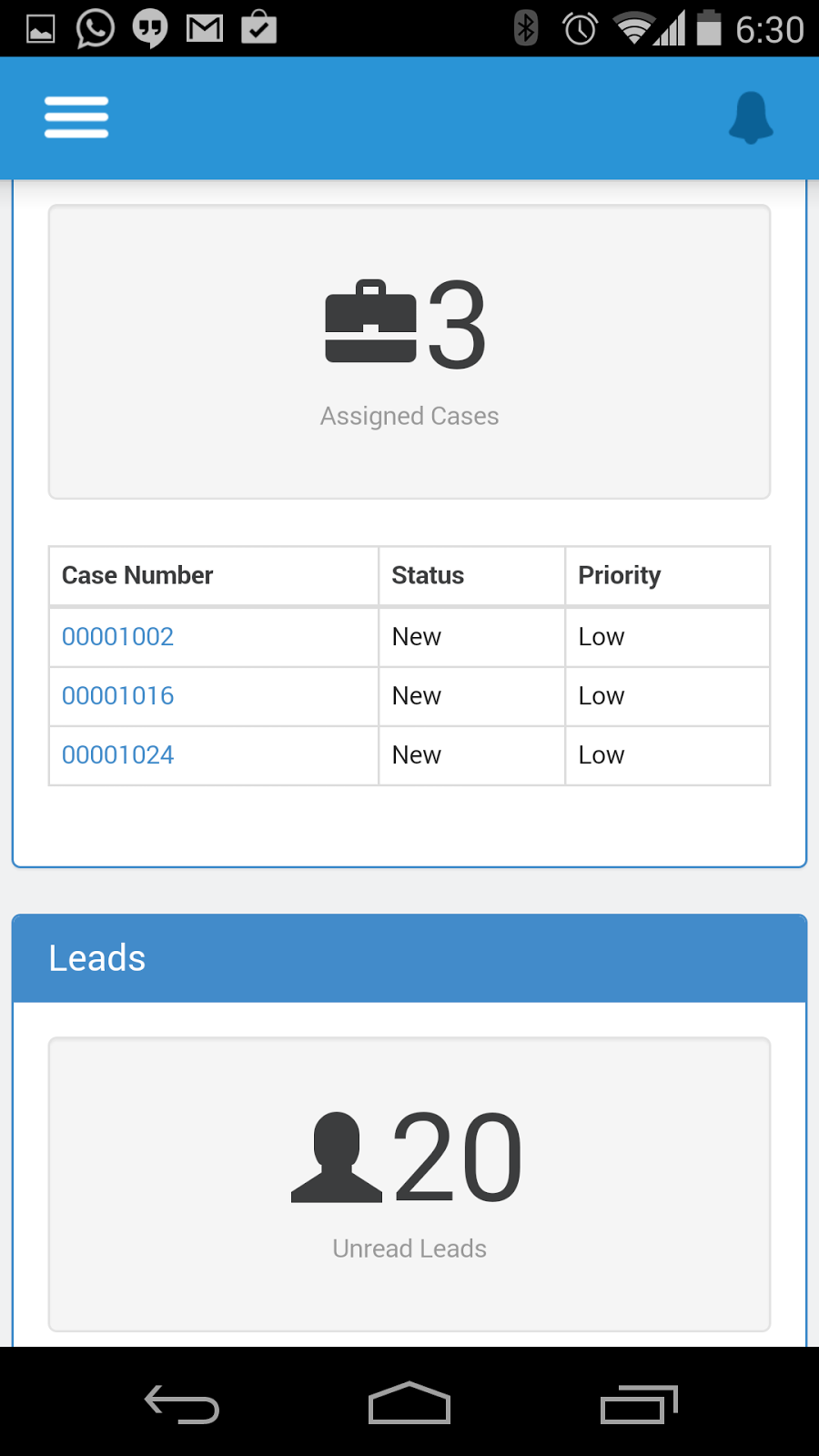
How it looks like on a Mobile Device ?


VSDashboard in the nav menu
The VSDashBoard page
   
Detail Pages